This tutorial will show you how to open notepad easily on your pc if u cant find it
Below is the procedure
First of all hold down the window key

 This is what i meant


On our next tutorial i will be talking about how to change path or directory using cmd just stay updated
Note this tutorial is just for newbies put if u still find it useful You can add ur comments remember we might not be 100% correct in the information given
If along the line you encounter any error dont hesitate to contact us through the comment box
One love
Below is the procedure
First of all hold down the window key
Followed by the R key
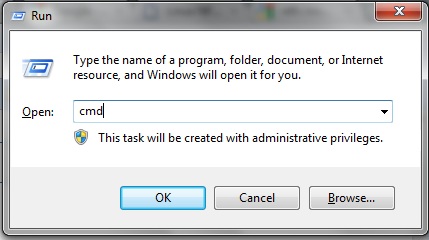
Next you shoiuld see the below image
The above image is the run dialog
Type in cmd and then press ok
The you should see command prompt coming up
Depending on the directory you are just it doesnt matter
It will still work
Type in notepad
After the ">" sign
Example
C:\windows\system32>notepad
Press enter
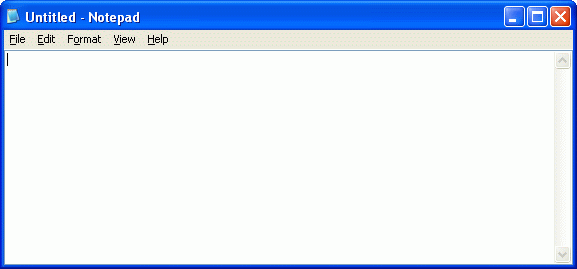
Voila
U got your notepad interface
Now concerning the path or directory it doesnt matter the path
Your pc opens i just wanna use windows\system32 as an example
Your might specify the user directory
Eg
C:\users\john blah blah blah
Just type in the keyword notepad
Thats it.
On our next tutorial i will be talking about how to change path or directory using cmd just stay updated
Note this tutorial is just for newbies put if u still find it useful You can add ur comments remember we might not be 100% correct in the information given
If along the line you encounter any error dont hesitate to contact us through the comment box
One love
EmoticonEmoticon